LaTeX Editor,
Reimagined for the Web

Write, compile, and manage your LaTeX documents directly in your browser. No installation required. Everything stored on GitHub.

Powerful Features for Modern Writers

📝

Browser-Based LaTeX Compiler

Compile LaTeX documents instantly in your browser. No setup, no installation. Just open and start writing with full LaTeX support.

📄

Multi-Format Support

Not just LaTeX! Also supports Markdown, reStructuredText, and all formats supported by Pandoc. One editor for all your documents.

🐙

GitHub Integration

Files are stored directly in your GitHub repositories. Version control built-in. Your documents, your repository, your control.

Time Machine

Travel back to any point in your document's history. Select any date and time to view your work exactly as it was. Perfect for recovering old versions or tracking your progress over time.

👥

True Collaboration

Share button directly adds people as GitHub repository collaborators. No separate permissions to manage - just real GitHub collaboration with full version control.

🔄

Overleaf Compatibility

Direct import and export to Overleaf. Use Overleaf templates seamlessly. Switch between platforms without any friction.

⏰ Time Machine: Your Document's Complete History

Ever wished you could see your document from last week? Or recover that paragraph you deleted yesterday? UnderLeaf's Time Machine makes it effortless.

  • Pick Any Moment: Use the date-time picker to select any point in your repository's history
  • Instant Preview: See your entire project exactly as it was at that moment
  • Read-Only View: Browse historical versions without accidentally changing anything
  • Return Anytime: One click brings you back to the current version
  • Compare Changes: Open files side-by-side to see what changed

Perfect for tracking your writing progress, recovering deleted content, or understanding how your document evolved.

Time Machine Interface
Collaboration Interface

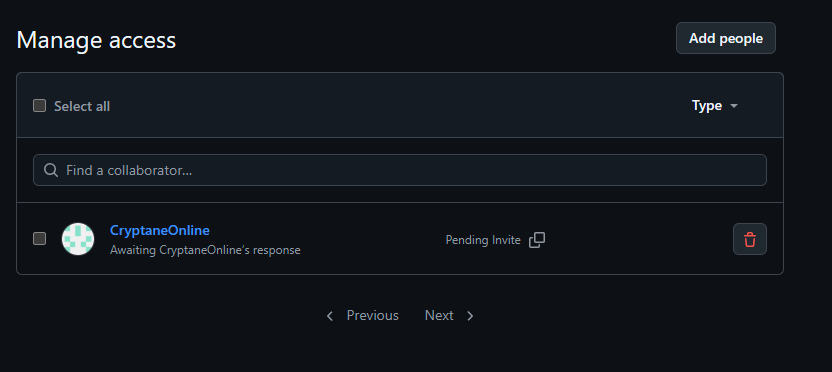
👥 Real Collaboration, Not Compromises

Forget complicated permission systems. UnderLeaf uses GitHub's collaboration features directly.

  • One-Click Sharing: Click "Share" and you're taken directly to GitHub's collaborator settings
  • GitHub Permissions: Add people as repository collaborators with full GitHub access control
  • Real-Time Sync: All collaborators work on the same repository with automatic version control
  • No Duplicate Systems: No separate user management - GitHub handles everything
  • Pull Requests & Issues: Use GitHub's full suite of collaboration tools

Your team already knows GitHub. Now they can use it for LaTeX documents too.

See UnderLeaf in Action

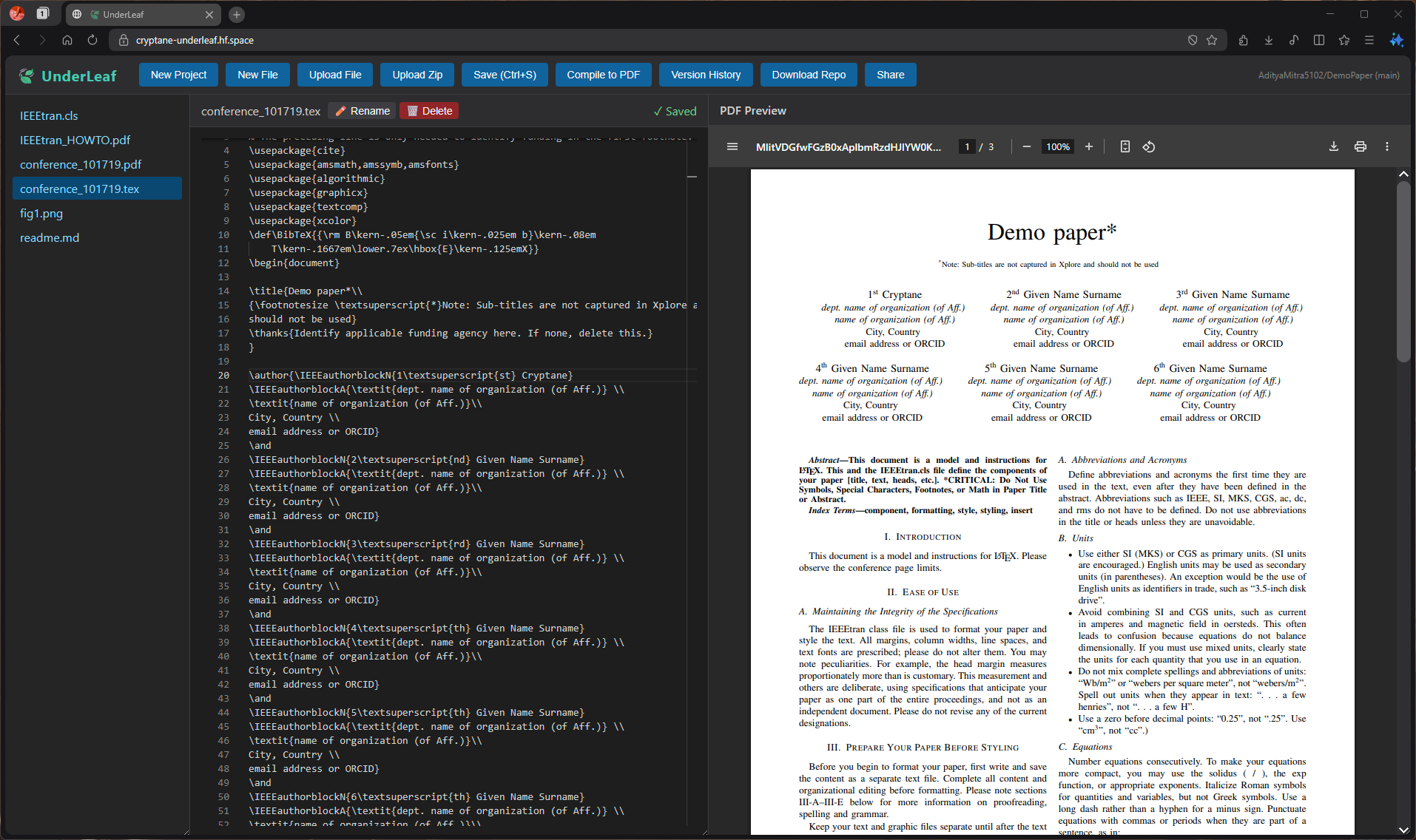
UnderLeaf Editor Interface

Clean, distraction-free editor with live PDF preview

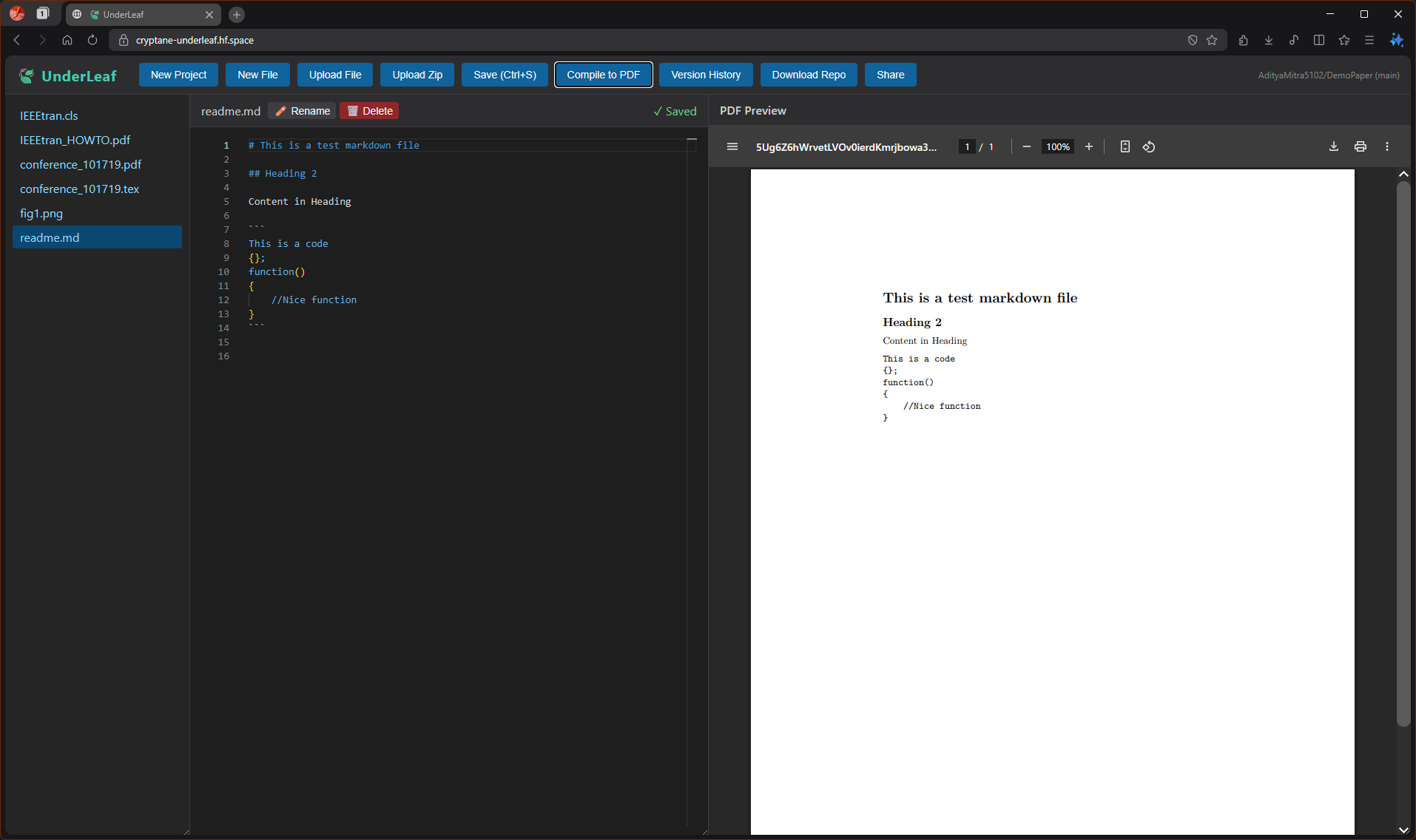
Markdown Support

Support for Markdown

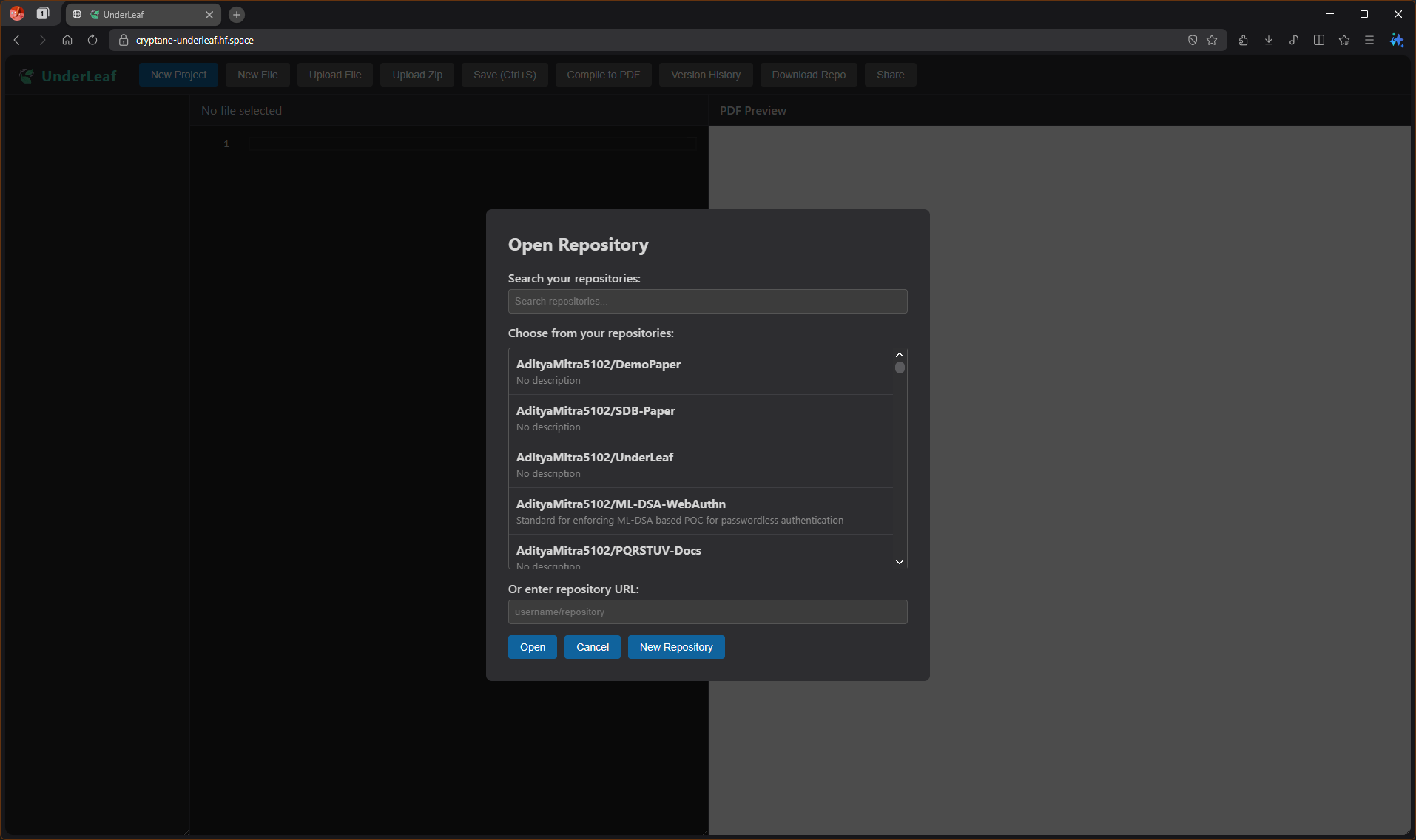
GitHub Integration

Seamless GitHub repository integration and file management

Watch It In Action

🔄 Import from Overleaf and Template

📚 Using UnderLeaf

How It Works

1

Connect Your GitHub

Sign in with your GitHub account. UnderLeaf uses OAuth for secure authentication. Choose any repository to work with.

2

Write and Edit

Use the powerful browser-based editor with syntax highlighting, auto-completion, and live preview. Upload images, create new files, and organize your project.

3

Compile Instantly

Hit compile and watch your PDF generate in real-time. No waiting, no setup. All LaTeX packages are installed automatically as needed.

4

Auto-Save to GitHub

Every save is a commit to your GitHub repository. Full version history is maintained automatically. Collaborate with others using GitHub's tools.

Ready to Start Writing?

Join the modern LaTeX workflow. No installation, no setup, just pure productivity.

Launch UnderLeaf